
reframe
Keep your Claude Code sessions side by side in one window: tile and group them, take over the ones running in other terminals, and get every session back after a restart.
Free and open source (MIT) · Windows, macOS and Linux
What it does
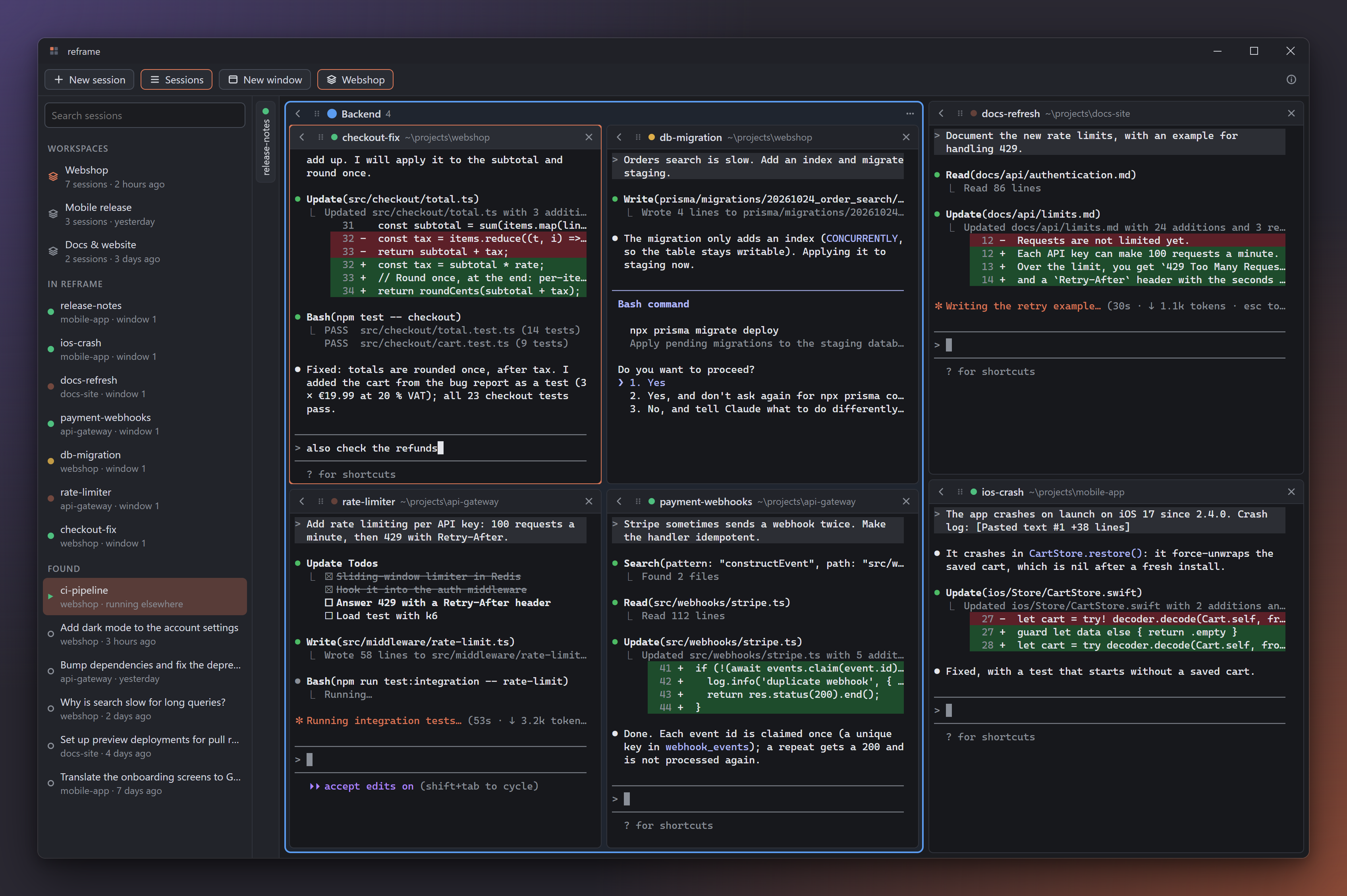
All sessions in view
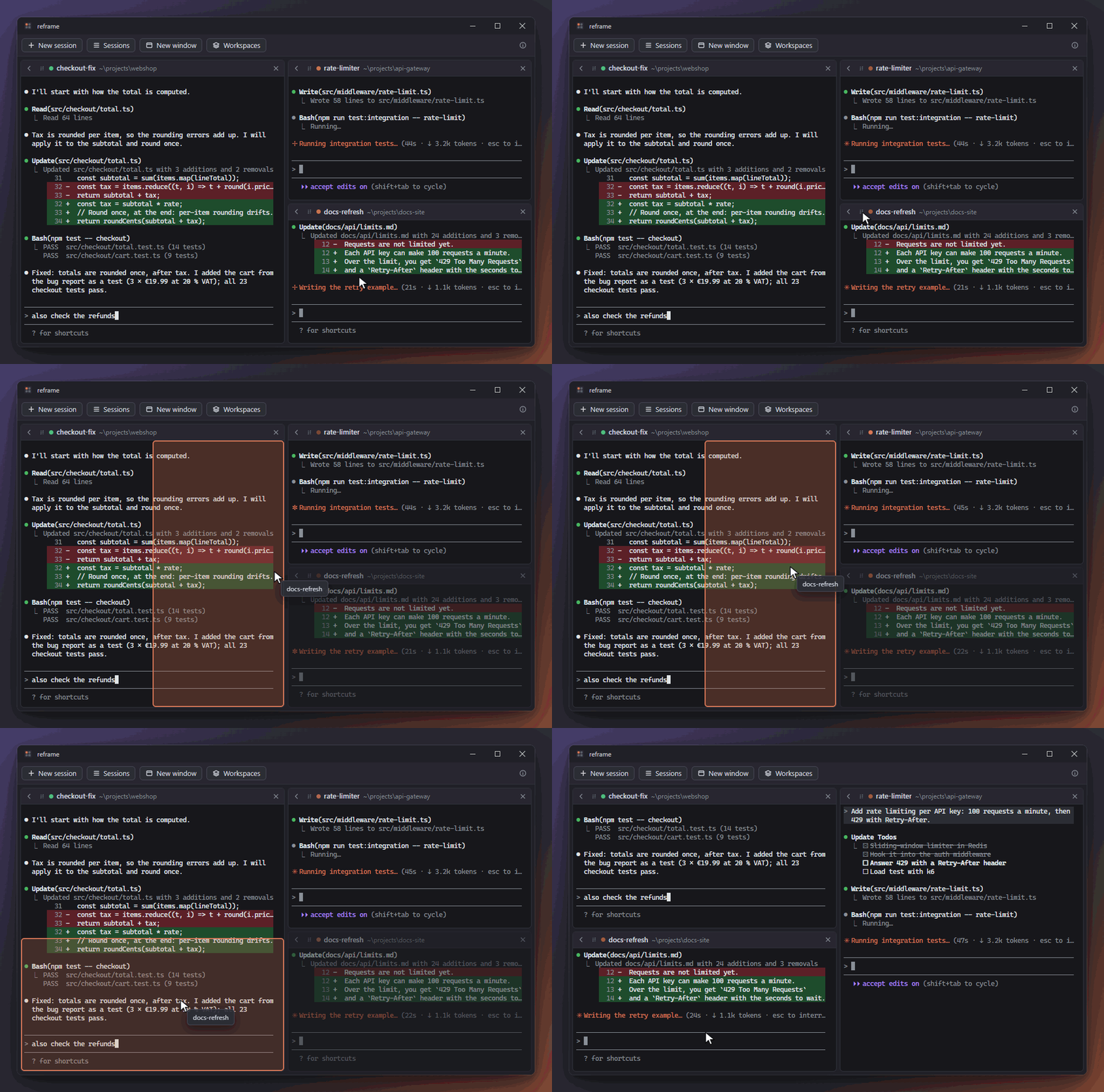
Every session is a tile, and all tiles are visible at once. Drag a tile's header onto another tile's edge to split next to it; separators snap to a grid as you drag them, so tiles line up.
Groups
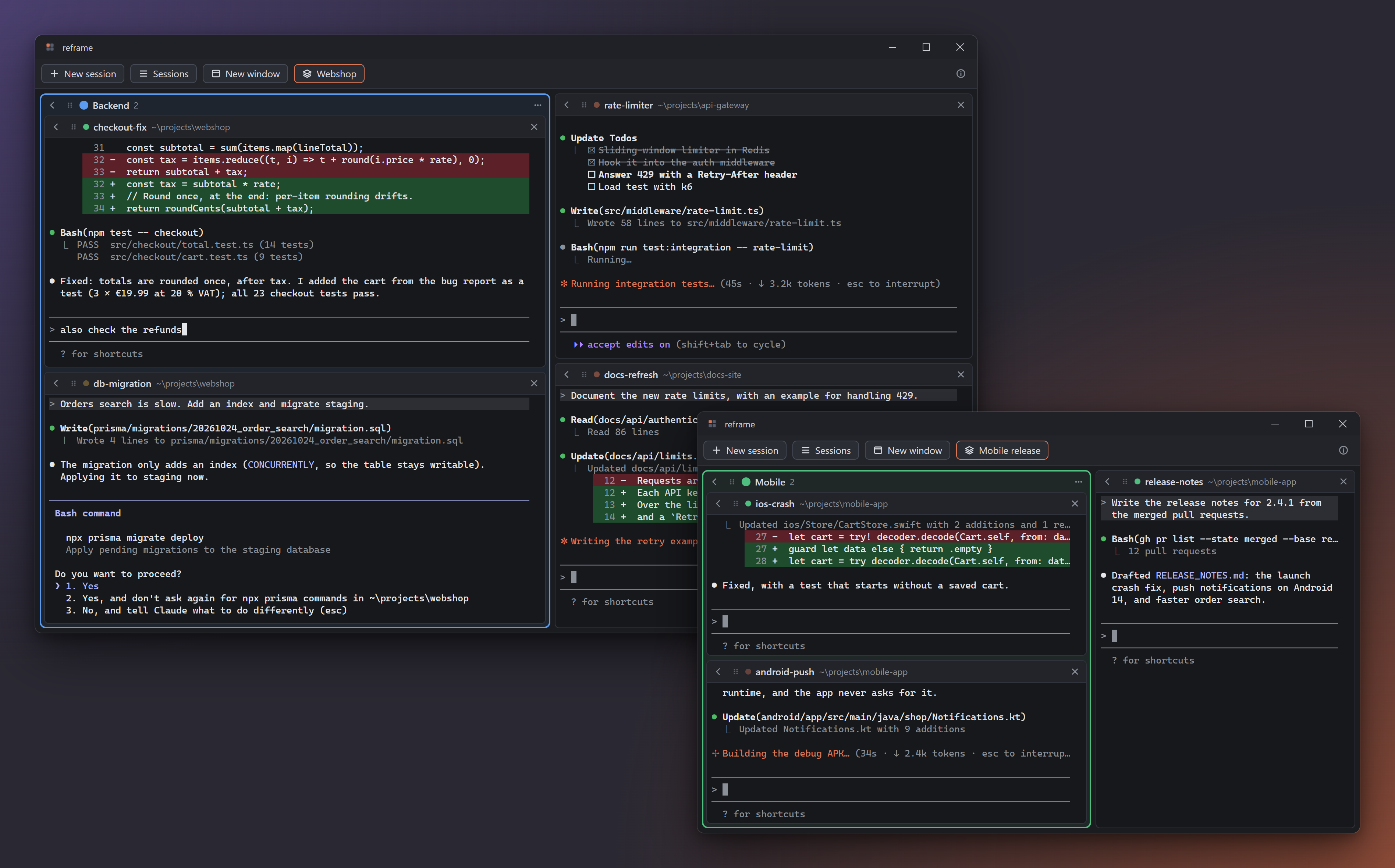
Put tiles into a group: a colored frame with a name. A group collapses, moves and leaves the window as one.
Out of the way when you want
Collapse a tile into the side bar with one click, and put it back where it was with another.
Several windows and workspaces
Drag a tile or a group out of the window and it gets a window of its own. Save a window as a workspace and open it again later, with its tiles, groups and sessions.
Session list
The sessions in reframe, the ones running in other terminals and your recent Claude Code sessions, with search. Ended sessions resume; sessions running elsewhere are taken over, history and name included.
Pull terminal windows in
On Windows, drag a Windows Terminal or console window with a running claude onto reframe, and
the session continues there, right where you dropped it.
WSL
On Windows, sessions in a folder inside WSL run the Claude Code installed in that distribution, with status, notifications and resume like any other.
Nothing gets lost
Every change is saved right away. Quit, and the next start resumes each session in its folder, in its place.
Files and screenshots
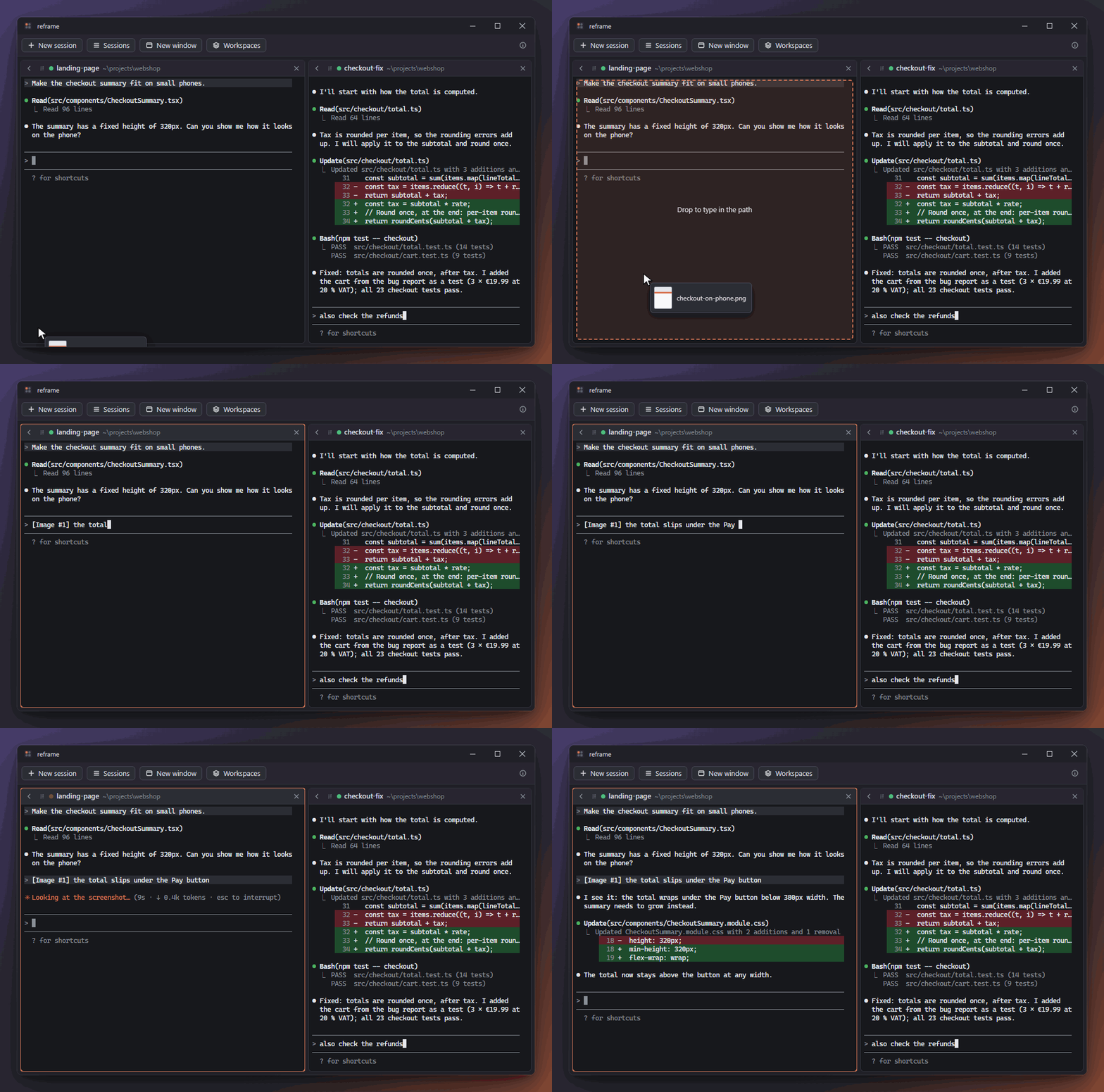
Drop files onto a session to type in their paths (Claude Code attaches images among them), or paste a screenshot from the clipboard.
Runs in the background
Closing a window only hides it: sessions keep working, and you get a notification when Claude is done or needs you.
Starts with the system, updates itself
If you like, reframe starts quietly in the tray. Installed copies update themselves from GitHub Releases.
What you need
Claude Code, installed and logged in (claude on your
PATH). On Windows, sessions in a WSL folder use the Claude Code installed in that distribution.
| System | Status |
|---|---|
| Windows | Everything above; this is where reframe is developed and tested. |
| macOS | Built in CI, not tested yet. Pulling terminal windows in is not available yet (use the session list to take sessions over). |
| Linux | Built in CI, not tested yet. Pulling terminal windows in is not available yet (planned for X11; on Wayland only the session list). |
Code signing policy
The Windows releases are going to be signed through the SignPath Foundation's free code signing for open source projects (being set up; until then they are unsigned). Free code signing provided by SignPath.io, certificate by SignPath Foundation. Read the code signing policy.